Configuring Asset Manager
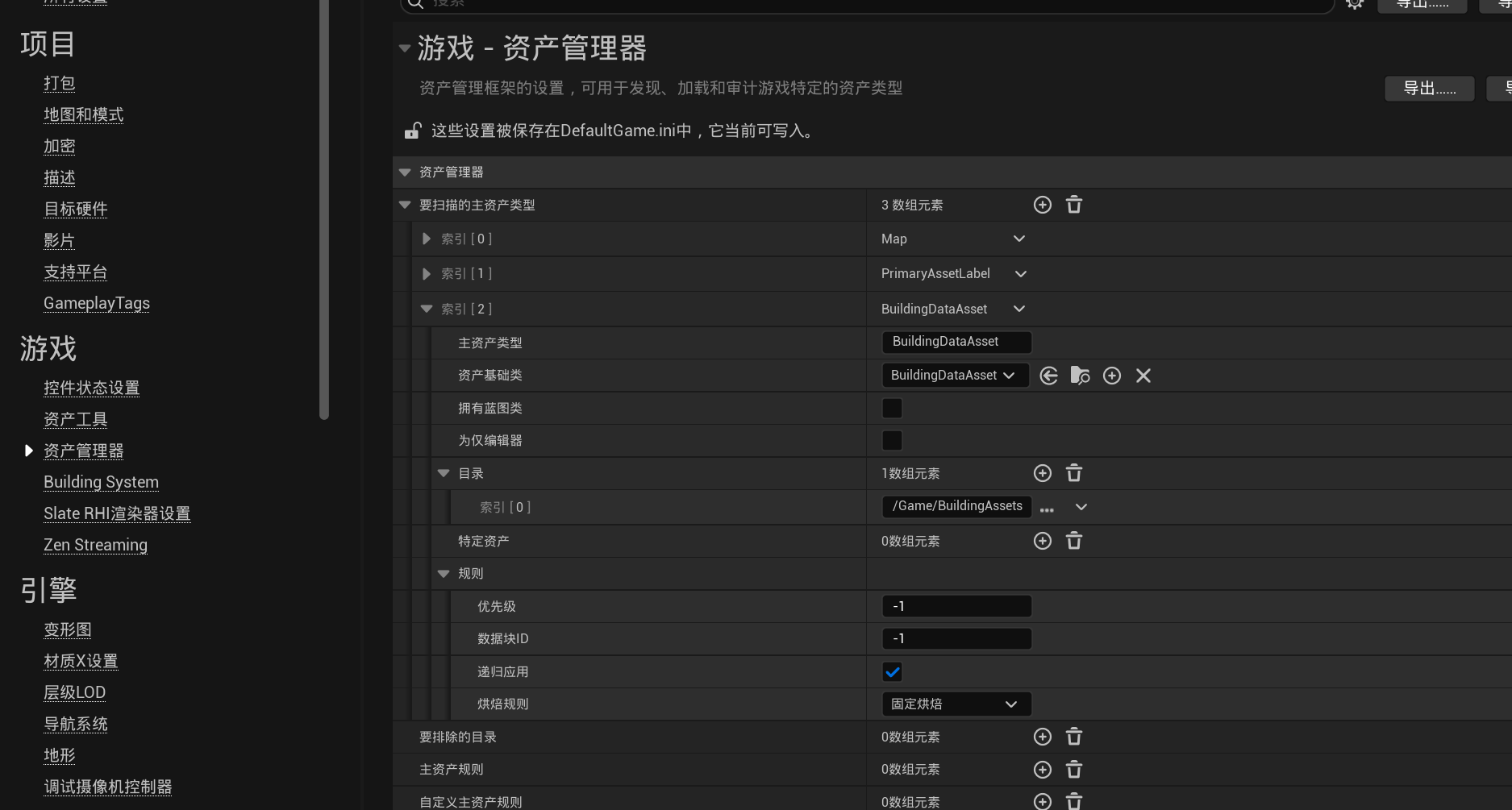
The plugin uses Unreal Engine's Asset Manager to scan and load building data assets. Before using the plugin for the first time, register BuildingDataAsset as a scannable Primary Asset Type.
Open:
Edit → Project Settings → Game → Asset Manager
Add a new entry under Primary Asset Types to Scan and configure it as follows:
| Setting | Value |
|---|---|
Primary Asset Type |
BuildingDataAsset |
Asset Base Class |
BuildingDataAsset |
Has Blueprint Classes |
Disabled |
Is Editor Only |
Disabled |
Directories |
Directory containing the building data assets |
Is Editor Only |
Disabled |
Apply Recursively |
true |
Cook Rule |
Always Cook |
For example, building data assets can be stored in: