Building Cost System
The building cost system checks construction requirements and consumes resources after a building is confirmed.
The plugin does not restrict resource types. Inventory items, currency, character attributes, and other resources can all be integrated through a custom Building Cost Evaluator.
Workflow
Read the Cost Set
→ Check costs
→ Generate UI information
→ Revalidate on the server
→ Consume resources
→ Create the building
Client-side evaluation is used only for UI display and local pre-checks. Final validation and resource consumption should be performed by the server.
Cost Set
A Building Cost Set is the cost configuration asset used by a building. It can contain multiple Cost Entry entries.
For example:
| Cost | Amount |
|---|---|
| Wood | 20 |
| Stone | 10 |
| Gold | 100 |
After creating it, assign it to the Cost Set property of the corresponding Building Data Asset.
When no Cost Set is configured, the plugin does not perform cost validation. This is suitable for Creative Mode, administrator building, or projects that handle costs through their own systems.
Cost Entry
Each Cost Entry represents one cost requirement.
| Field | Description |
|---|---|
Evaluator Class |
The Evaluator responsible for processing the current cost. |
Target Data |
The resource, item, or other target data. |
Amount |
The quantity to validate and consume. |
The same Evaluator can use Target Data to process multiple targets, such as Wood, Stone, and Iron. A separate class is not required for every resource type.
Evaluator
A Building Cost Evaluator integrates the plugin with the project's resource systems. Its primary responsibilities include:
| Operation | Description |
|---|---|
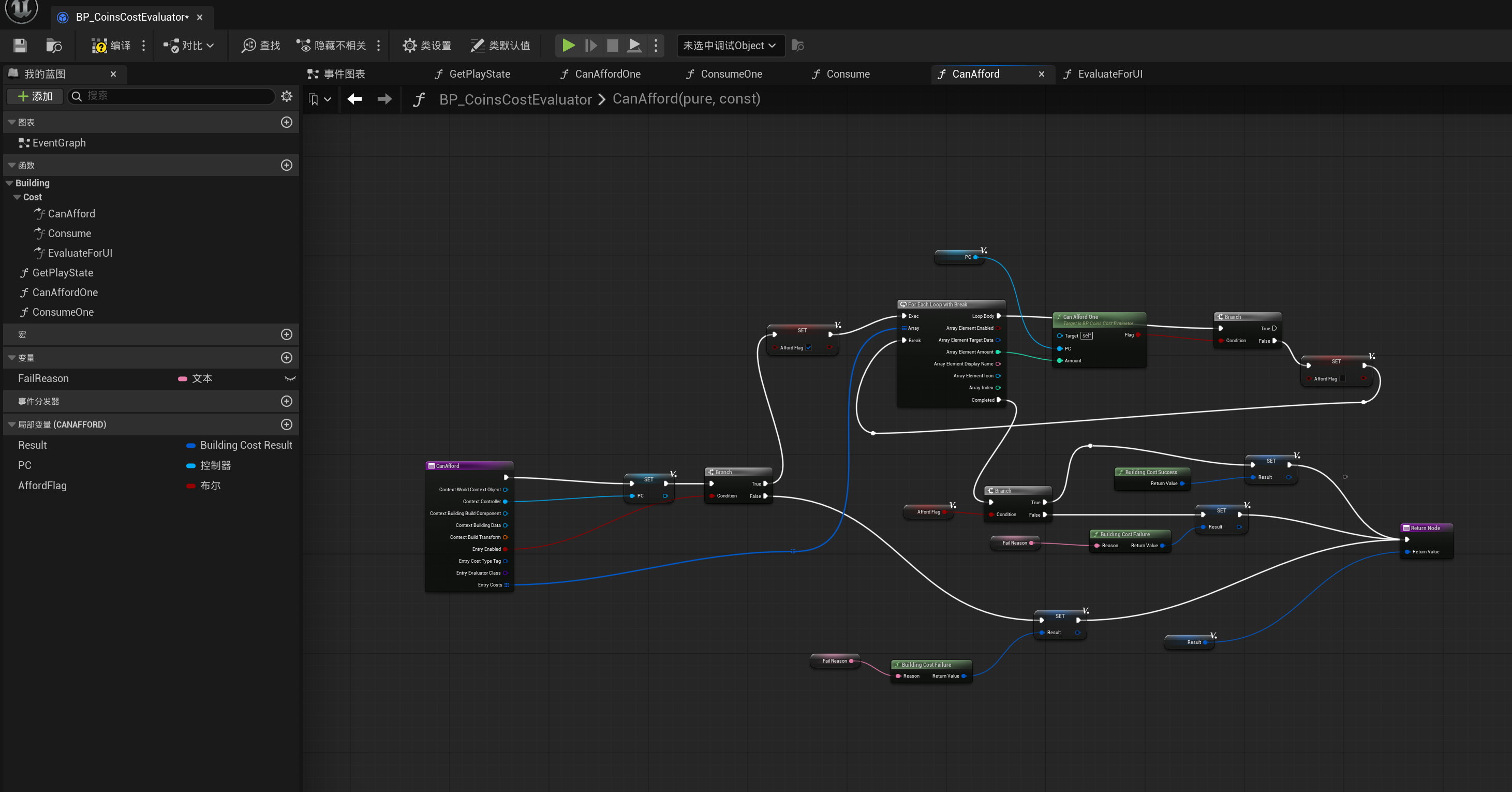
Can Afford |
Checks whether the current resources satisfy the requirement. |
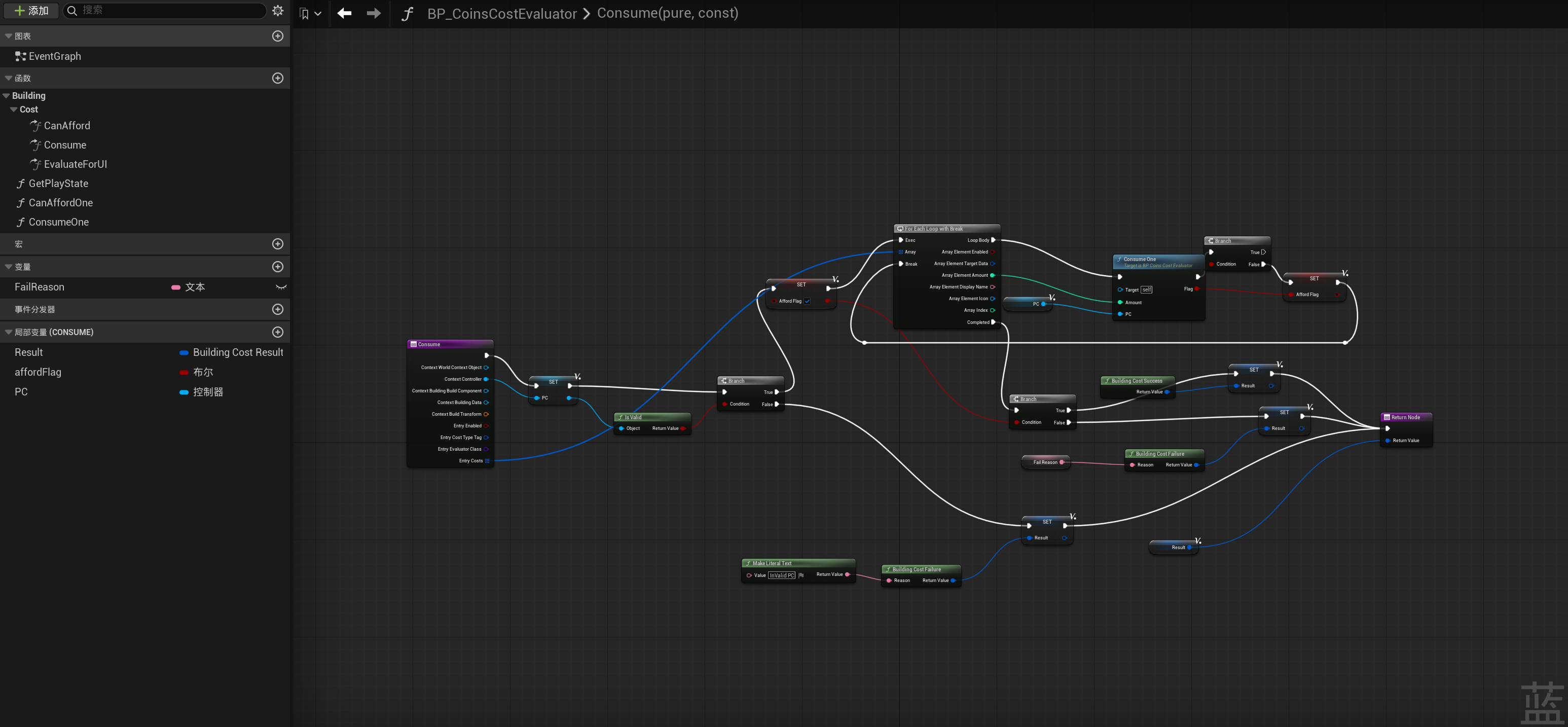
Consume |
Consumes resources after the building is confirmed. |
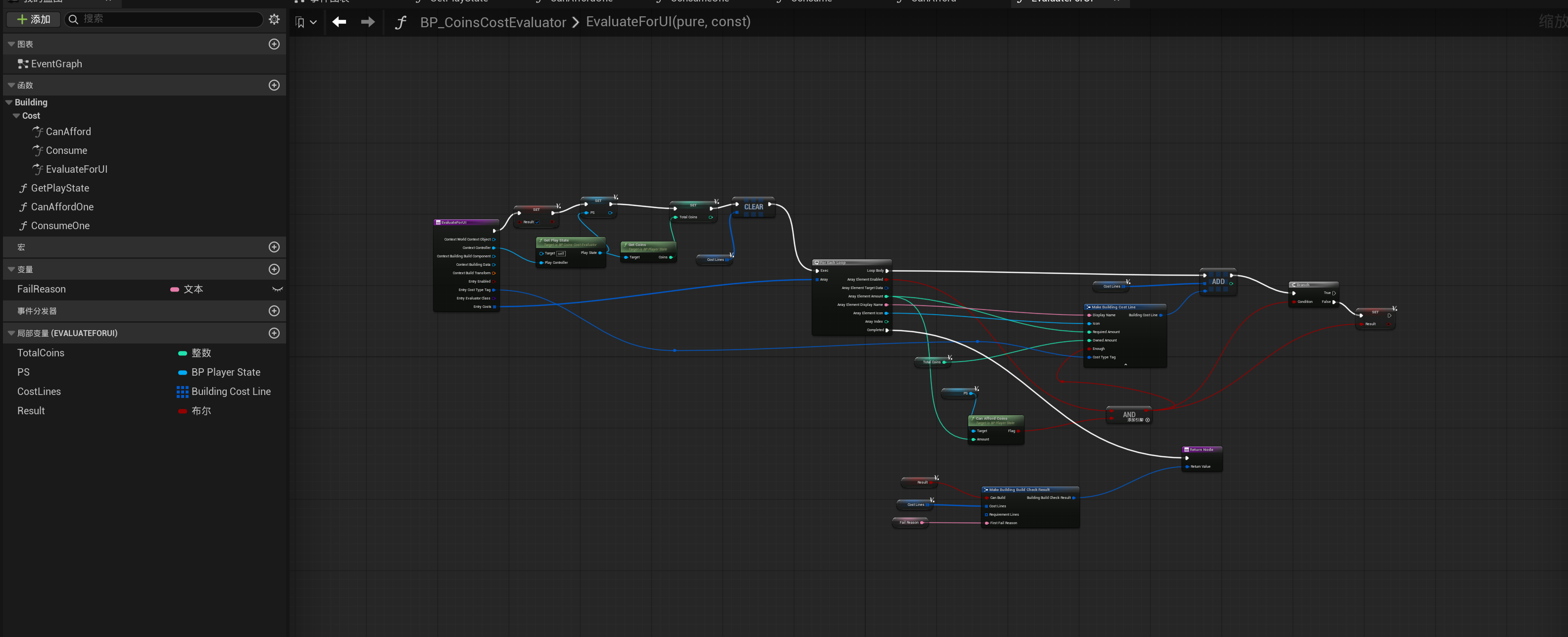
Evaluate for UI |
Generates UI display information and failure reasons. |
Projects can create separate Evaluators for inventories, currencies, character attributes, or storage systems.
Default Evaluators
Default Evaluators can be registered under:
Each rule contains:
| Field | Description |
|---|---|
Cost Type Tag |
The cost type. |
Evaluator Class |
The default Evaluator associated with that type. |
For example:
| Cost Type Tag | Evaluator Class |
|---|---|
Building.Cost.Resource |
BP_ResourceCostEvaluator |
Building.Cost.Currency |
BP_CurrencyCostEvaluator |
Building.Cost.Item |
BP_ItemCostEvaluator |
When a Cost Entry does not directly specify an Evaluator, the system can find the default implementation based on its cost type.
For other settings, see Plugin Settings.
Cost Context
When a cost check is performed, the Evaluator receives the current building context, such as:
- Player Controller
- Current world
- Building Data
- Build Component
The Evaluator uses this information to locate the player's inventory, currency, or other resource data.
Note
The plugin does not require resource components to be stored on the Pawn, Player State, or any other specific object.
The Evaluator determines how the required resource data is obtained.
UI Evaluation
Evaluate for UI can generate:
- Current amount
- Required amount
- Cost display text
- Whether the requirement is satisfied
- Failure reason
For example:
UI evaluation must not consume resources.
Multiplayer
When a building is confirmed, the server should process the request in the following order:
The client cannot make the final decision about whether the player has sufficient resources and cannot perform final resource consumption.
Resources should not be consumed if building creation fails.
Custom Evaluators
A custom Evaluator usually needs to:
- Obtain the player from the Cost Context.
- Read the target and amount from the Cost Entry.
- Query the project's resource system.
- Return the validation result and failure reason.
- Generate display information for the UI.
- Consume resources during the server confirmation stage.
After implementation, the Evaluator can be assigned directly to a Cost Entry or registered as a default Evaluator.
Example
The following example uses a custom Player State to validate and deduct gold.
Can Afford
Consume
Evaluate for UI
Troubleshooting
| Issue | What to Check |
|---|---|
| Resources are always reported as insufficient | Check whether the Evaluator correctly obtains the player and resource data. |
| Evaluator cannot be found | Check Evaluator Class and the default Evaluator rules. |
| Costs are not displayed in the UI | Check Evaluate for UI. |
| Resources are not consumed after construction | Check whether the server executes Consume. |
| Resources are consumed more than once | Ensure that Consume is executed only once during server confirmation. |
| Resources are consumed even though construction fails | Check the execution order of validation, consumption, and building creation. |