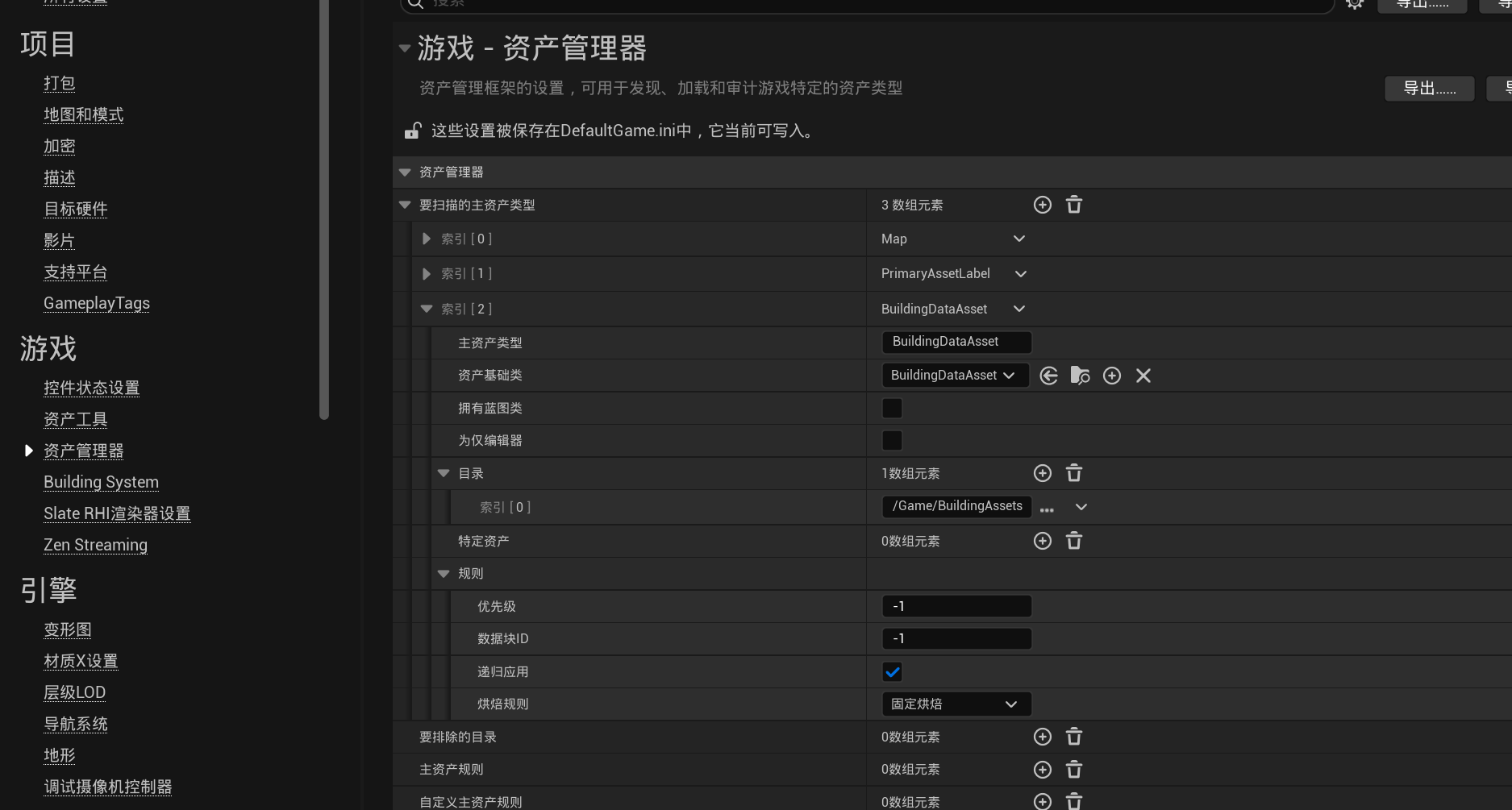
配置资产管理器
插件通过 Unreal Engine 的 Asset Manager 扫描并加载建筑数据资产。首次使用时,需要将 BuildingDataAsset 注册为可扫描的主资产类型。
打开:
Edit → Project Settings → Game → Asset Manager
在 Primary Asset Types to Scan 中添加一个新条目,并按以下方式配置:
| 配置项 | 值 |
|---|---|
Primary Asset Type |
BuildingDataAsset |
Asset Base Class |
BuildingDataAsset |
Has Blueprint Classes |
关闭 |
Is Editor Only |
关闭 |
Directories |
建筑数据资产所在目录 |
Apply Recursively |
true |
Cook Rule |
Always Cook |
例如,建筑数据资产统一存放在: